




Last updated: November 4, 2026
The Complete Local Search Optimization Guide for Small Businesses: 2026 Strategies & Tools
Local search optimization helps small businesses improve their visibility when potential customers search for nearby products and services. When customers search for terms like “plumber near me” or “best coffee shop downtown,” having accurate business information and a well-optimized online presence can help your business appear in relevant local search results. This guide covers practical 2026 strategies and useful tools to help small businesses strengthen their local online presence.
Whether you’re a boutique salon, HVAC contractor, dental practice, or retail store, local search optimization can help your business reach potential customers looking for relevant products and services in your area. This guide covers practical ways to improve your local online presence, from Google Business Profile optimization to citation building and review management.
Understanding Local Search Optimization for Small Business Success
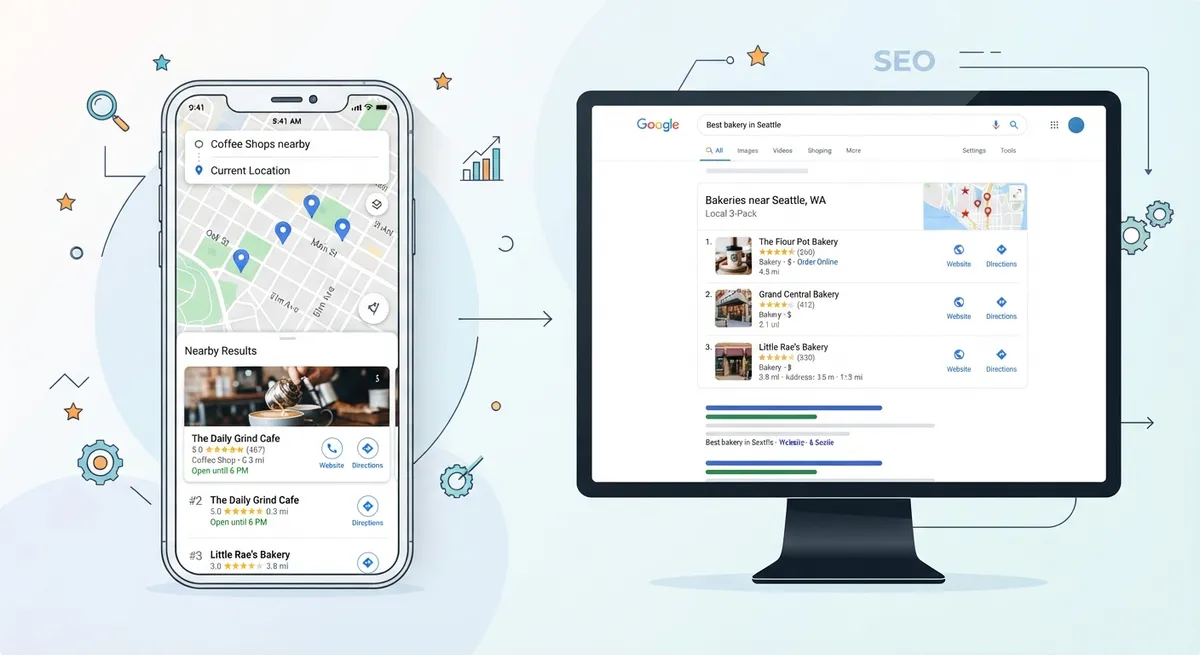
Local search optimization is the practice of optimizing your online presence to appear in local search results, particularly in Google Maps and the local search pack, which typically displays three featured business listings, although the layout can vary. Unlike traditional SEO, which focuses on ranking nationally or globally, local search optimization targets customers in your specific geographic area who are actively looking for your products or services.
The three core pillars of local search optimization are:
- Local relevance: Making sure your products, services, and business information match what local customers are searching for.
- Local prominence: Building awareness and credibility through genuine customer reviews, relevant local backlinks, and a positive online reputation.
- NAP consistency: Keeping your business Name, Address, and Phone number accurate across relevant online directories and platforms.
Together, these practices can help search engines understand your business, its services, and its relevance to local searches.
Optimize Your Google Business Profile: The Foundation of Local Search Optimization
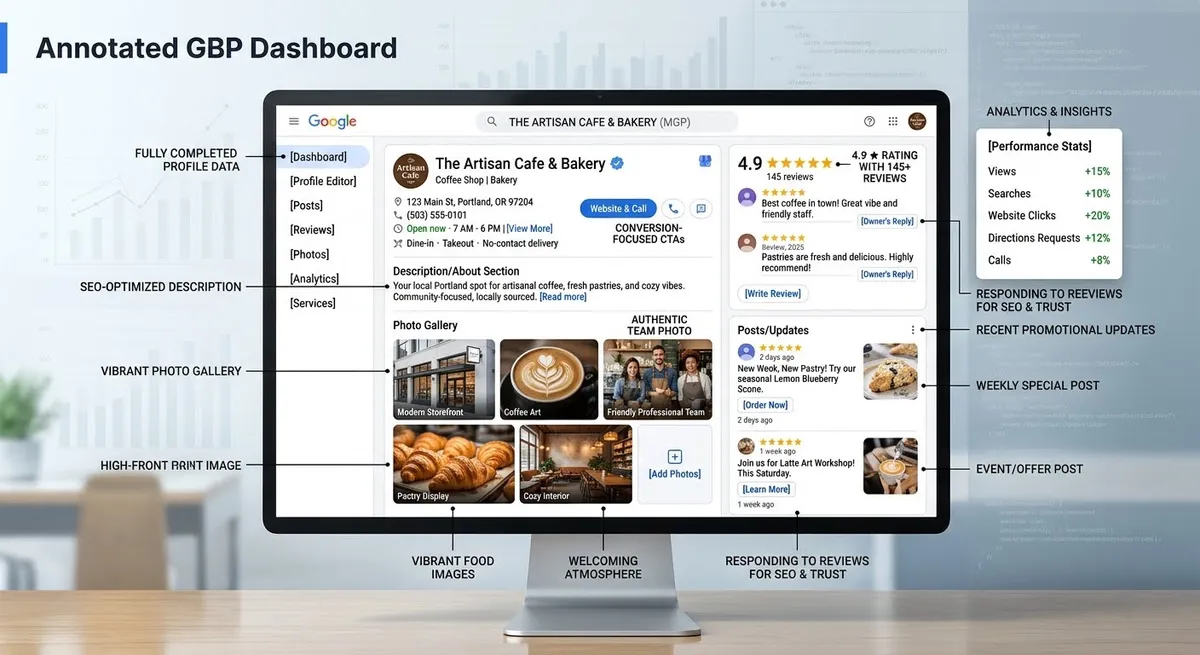
Your Google Business Profile is an important part of local search optimization. It allows your business information to appear across Google Search and Google Maps when people look for your business or related services.
Here’s how to maximize it:
Complete Every Section Thoroughly
Don’t leave fields blank. Fill in your business name, address, phone number, website URL, business category, business description, photos, hours, and service areas. Providing complete and accurate information helps customers understand what your business offers, where it is located, and when it is available.
Choose Your Primary Category Wisely
You can list multiple categories, but your primary category should match the search intent your ideal customers are using. If you’re a pizza restaurant, “Pizza Restaurant” is better than “Italian Restaurant” because customers search for pizza specifically. Choosing an accurate primary category helps Google understand your business and its relevance to related searches.
Upload High-Quality Photos and Videos
Add clear, high-quality photos of your business, including interior and exterior views, team members, products, and completed projects where applicable. You can also add videos that help customers understand your business. Follow Google’s current photo and video requirements.
Use Google Business Profile Posts
Google Business Profile Posts allow eligible businesses to share updates, events, offers, and other information directly through their Business Profile. These updates can help keep customers informed when they view your business listing on Google Search and Maps.
Build Local Citations and Consistent NAP Information
Local citations are online mentions of your business name, address, and phone number (NAP) on third-party websites. These mentions help customers discover your business and find consistent information about your location and services. Citations can appear on local directories, review sites, industry-specific databases, and social media platforms.
Accurate and consistent business information across relevant directories can support local visibility and help customers find your business.
Claim and Optimize Your Key Directory Listings
Start with high-authority, high-traffic directories that are most relevant to your industry:
- Google Business Profile (already covered above)
- Apple Maps and Bing Places
- Yelp (especially important for retail, restaurants, and services)
- Industry-specific directories (Avvo for lawyers, Healthgrades for doctors, etc.)
- Local chamber of commerce and Better Business Bureau (BBB)
- Social media profiles (Facebook Business, LinkedIn, Instagram)
Ensure Perfect NAP Consistency
Keep your business name, address, and phone number accurate and consistent across relevant online directories. Check for outdated details, duplicate listings, and incorrect contact information. Consistent information helps customers identify your business and contact you without confusion. Conduct a citation audit and correct inaccurate listings where possible.
Build Citations on Niche Directories
Beyond the major platforms, find industry-specific directories and local business listing sites relevant to your business. A plumber should appear in plumbing directories; a personal trainer should be on fitness directories. Relevant niche citations can help customers discover your business through industry-specific and local directories. Focus on reputable platforms that are useful to your target audience.
Citation building is an ongoing process, not a one-time task. Monitor your citations quarterly, update them as needed, and add your business to new relevant directories as they emerge.
Local Optimization Strategies for Small Businesses
A well-planned local optimization strategy helps businesses target relevant searches in the communities they serve.
Master Local Keyword Research and On-Page Optimization
Local keyword research is an important part of local search optimization. It involves identifying search terms that combine your primary keywords with geographic modifiers, such as “dentist in Denver,” “emergency plumber near me,” or “best breakfast spots downtown.”
Here’s how to approach local search optimization keyword research:
Identify Your Local Search Terms
Use Google Search Console to find queries people are already using to find your business. Look at the “Queries” report and filter for local modifiers. You’ll often spot patterns certain neighborhoods, nearby landmarks, or geographic descriptors that customers use repeatedly.
Target “Near Me” Variations
Include natural location-based phrases in your content when they match the way your customers search. Focus on relevant services, neighborhoods, and geographic areas instead of repeating “near me” phrases unnaturally.
Optimize Location Pages for Multiple Service Areas
If your business serves multiple neighborhoods, cities, or regions, create dedicated location pages for each area. Each page should include location-specific content, testimonials from that area, and locally relevant keywords. This strategy can help your business become more relevant to customers searching in the areas you serve.
On each location page:
- Use the location name in the H1 and first paragraph
- Include specific neighborhood landmarks or local details
- Embed a Google Map showing your service area
- Add reviews and testimonials from customers in that location
- Create location-specific schema markup
Leverage Customer Reviews and Reputation Management
Customer reviews can influence local search visibility, build trust, and help potential customers make purchasing decisions. Genuine feedback also gives businesses useful insight into customer experiences and areas for improvement.
To leverage reviews for local search optimization:
Make It Easy for Customers to Leave Reviews
Make leaving a review simple and convenient for customers. Include a direct link to your Google Business Profile review page on your website, in email signatures, on invoices, and in follow-up messages after a purchase or service.
Respond to Every Review
Responding to customer reviews shows that your business values feedback and engages with customers. Reply to positive reviews with gratitude and address negative reviews professionally and helpfully. While responses are not a guaranteed direct ranking factor, they can strengthen customer trust and your online reputation.
When responding to negative reviews, remain professional and avoid sharing private customer information. Acknowledge the concern, provide a helpful response, and offer an appropriate way to resolve the issue offline when necessary. Review responses should be genuine, specific, and consistent with your customer service standards.
Encourage Detailed, Authentic Reviews
Invite customers to share honest details about their experience. Specific feedback can help prospective customers understand your products, services, and customer experience.
Never fake reviews or purchase fake review services. Review manipulation violates Google’s policies and can lead to review removal or other consequences for your Business Profile.
Implement Schema Markup for Enhanced Local Search Optimization Visibility
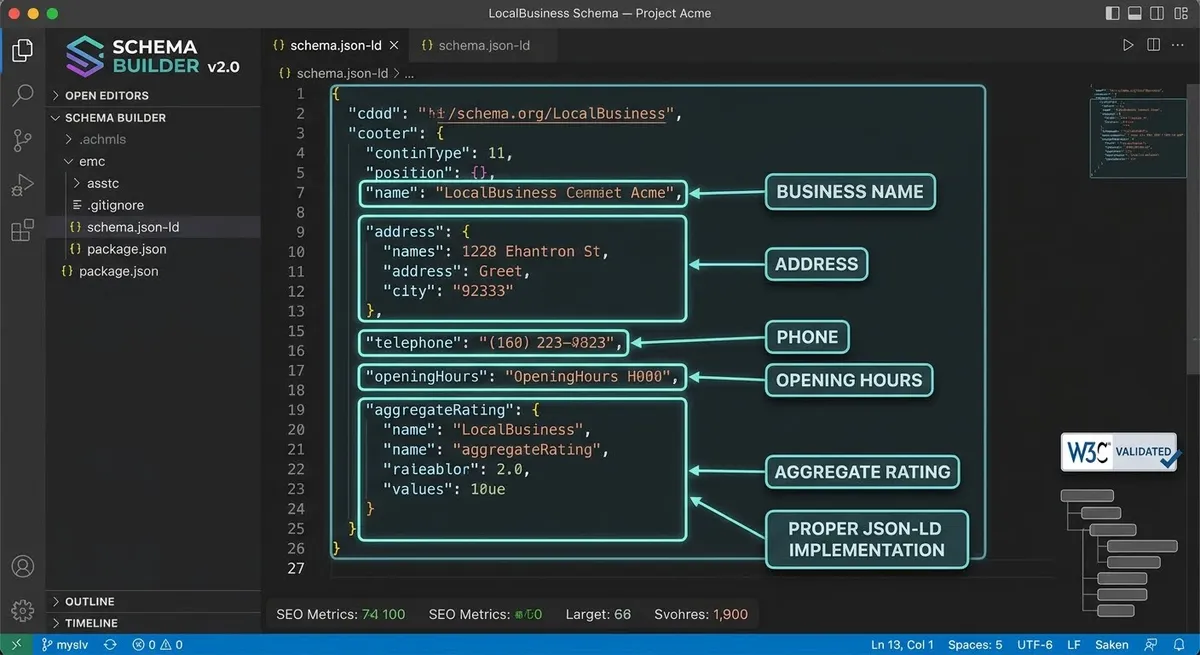
Schema markup (structured data) helps search engines understand the information on your website. For local businesses, LocalBusiness structured data can describe important details such as the business name, address, and operating hours. Organization and BreadcrumbList structured data may also be relevant, depending on your website’s content. Structured data does not guarantee improved rankings or enhanced search appearance.
Add LocalBusiness Schema
Your LocalBusiness structured data may include relevant details such as:
- Business name and description
- Business address or service area, where applicable
- Phone number and website URL
- Business hours
- Business logo and appropriate business type
Use accurate information that matches your actual business details and Google’s structured data guidelines.
Add Review and Rating Schema
Google does not show review star snippets for self-serving reviews about a LocalBusiness or Organization on that entity’s own website. Follow Google’s review snippet guidelines before implementing review or rating markup.
Create Location-Specific Content That Drives Local Search Optimization
Content is king, even in local search optimization. Creating blog posts, guides, and pages that address location-specific problems, questions, and interests signals to Google that your business is deeply embedded in your community.
Examples of high-impact location-specific content include:
- “Guide to [Neighborhood] Schools and Family Resources” (for family-oriented services)
- “[City] Small Business Spotlight” or “Local Entrepreneur Interviews”
- “Seasonal Tips for [Location]” (e.g., “Winter Roof Maintenance Guide for Denver Homeowners”)
- “Events Happening in [City] This Month”
- “[City] Traffic and Commute Patterns: How We Route Service Calls”
- “Local Regulations and Compliance: What [City] Residents Need to Know”
Each piece of location-specific content should naturally incorporate relevant local keywords and link to appropriate service pages. This content can help strengthen your local relevance and provide useful information to customers in your community.
Monitor Local Search Performance and Adjust Your Strategy
Local search optimization isn’t a set-it-and-forget-it strategy. You need to monitor key metrics, track ranking changes, and adapt as market conditions shift. Here’s what to track:
Key Local Search Optimization Metrics
- Local search rankings: Track where you rank for your primary local keywords in Google’s local pack and Maps results
- Google Business Profile insights: Monitor views, direction requests, phone calls, and website clicks from your Google Business Profile
- Citation consistency: Perform quarterly audits to ensure your NAP information is consistent everywhere
- Review volume and ratings: Track the number of reviews and your average rating across platforms
- Website traffic from local searches: Use Google Analytics 4 to identify traffic from local search and geographic sources
- Competitor rankings: Monitor where competitors rank for the same keywords
Use tools like Semrush Local, Moz Local, BrightLocal, or free tools like Google Search Console to monitor performance and identify changes in local search visibility.
Choosing the Right Local SEO Tools
Different tools support different parts of a local SEO strategy. Google Search Console helps monitor website search performance, while platforms such as Semrush Local, Moz Local, and BrightLocal offer features for managing local listings and monitoring local search presence. Compare their features, pricing, and coverage before choosing a platform that fits your business needs.
Compare Your Local Search Performance With Competitors
Review businesses that appear for the same local search terms and service areas. Compare their Google Business Profile categories, services, website content, customer reviews, and local directory presence.
Look for opportunities to improve your own listings and website content. Focus on providing accurate information, useful service details, and a better customer experience rather than copying competitors.
Using AI Tools to Support Local SEO in 2026
AI-powered tools can help small businesses organize local SEO tasks, identify content opportunities, and review performance trends. Businesses can use these tools to develop location-specific content ideas, summarize customer feedback, and identify frequently asked questions.
However, AI-generated recommendations should always be checked for accuracy. Verify business information, review responses, and local search data before publishing or making changes to your Google Business Profile.
Use AI as a support tool rather than a replacement for accurate business information, genuine customer reviews, and a consistent local SEO strategy.
Optimize for Voice and Mobile Local Searches
Voice and mobile searches play an important role in how customers find nearby businesses. People often use conversational queries such as “Where can I find a dentist near me?” or “Which plumbing company is open today?” Make sure your website is mobile-friendly, your contact information is easy to find, and your business details are accurate across online listings. Create helpful content that answers common customer questions naturally.
Integrate Local Search Optimization with Your Overall Digital Strategy
Local search optimization shouldn’t exist in isolation. It works best when integrated with your overall digital marketing strategy, including paid search, social media, email marketing, and traditional website SEO.
Coordinate Organic and Paid Local Search
Google Local Services Ads and Google Ads location assets can complement your organic local search strategy. Location assets may display business information alongside eligible ads, while Local Services Ads can help eligible service businesses connect with potential customers. Availability and features depend on the business category and location.
Align Social Media with Local Search Optimization
Your social media profiles help customers discover your business and find consistent business information. Keep your NAP information consistent on Facebook, Instagram, LinkedIn, and other platforms. Share location-specific content and engage with local customers and community pages.
Build Local Backlinks
Relevant links from local news sites, community blogs, chamber of commerce pages, and business associations can help customers discover your business and support your website’s credibility. Consider partnerships, sponsorships, and community involvement where appropriate.
Local search optimization is a long-term effort that can help small businesses improve online visibility and connect with relevant local customers. Consistent updates, accurate business information, and useful content can support a stronger local online presence over time.
Your Local Search Optimization Action Plan: Starting Today
If you’re new to local search optimization, you might feel overwhelmed. Here’s a prioritized action plan to start immediately:
Week 1: Foundation Setup
- Claim and complete your Google Business Profile
- Audit your business information across relevant online directories.
- Standardize your NAP format and correct any inconsistencies
Week 2-3: Content and Schema
- Implement LocalBusiness and Organization schema on your website
- Create or optimize your primary location pages
- Publish your first piece of location-specific content
Week 4+: Reviews and Monitoring
- Launch a systematic customer review request process
- Monitor local search queries and website performance through Google Search Console.
- Schedule monthly reviews of your Google Business Profile insights
Start with these foundational steps to build a stronger local online presence. Monitor your progress and adjust your strategy as you gather performance data.
Local search optimization can help small businesses improve their online visibility and connect with customers in their service areas. By implementing the strategies in this guide, businesses can build a more consistent online presence, make important information easier to find, and create opportunities to attract relevant local customers. Contact Particular Angles to discuss a local search optimization strategy that supports your business goals.
This guide was created by the Particular Angles team, combining practical knowledge of local search optimization, web design, and digital strategy to help small businesses strengthen their online visibility and reach local customers.