



Last updated: September 22, 2026
UI/UX Designer Job Description & Hiring Tips (2026 Edition)
Hiring the right UI/UX designer can make a significant difference in how people experience your website, app, or digital product. But finding someone with the right mix of design skills, user-focused thinking, and communication abilities can be challenging. Whether you’re hiring your first designer, growing a product team, or improving an existing digital experience, this guide explains what to look for, how to evaluate candidates, and how to create a UI/UX designer job description that attracts qualified applicants. The design landscape has shifted dramatically in recent years. Today’s users expect seamless, intuitive experiences across all touchpoints. Adobe’s research highlights the growing role of creativity and design in business, reinforcing why organizations need designers who can connect user needs with business goals. This makes hiring experienced UI/UX designers not just a nice-to-have, but essential.

What Does a Modern UI/UX Designer Do?
Before you can effectively recruit, you need clarity on the role. A UI/UX designer bridges aesthetics and functionality, translating user research and business goals into digital experiences. Their responsibilities typically include user research, wireframing, prototyping, usability testing, and collaborating with developers and product managers to ensure designs are implementable and impactful.
The distinction between UI (User Interface) and UX (User Experience) remains important. UI designers focus on visual design, typography, color systems, and interactive elements. UX designers concentrate on research, information architecture, user flows, and solving user problems. Many modern designers handle both, though specialists still exist in larger organizations. When you hire a UI/UX designer, clarify which skill set matters most for your project.
Modern UI/UX designers work across web, mobile, and emerging platforms. They use design systems, collaborate asynchronously, and understand accessibility requirements like WCAG 2.1 standards. They’re comfortable with rapid iteration, A/B testing, and data-driven decision-making not just creating beautiful mockups.
Essential UI/UX Designer Skills to Evaluate
When reviewing candidates to hire a UI/UX designer, assess these core UI/UX designer skills and core competencies:
Technical & Design Tool Proficiency
Candidates should demonstrate mastery of industry-standard design tools. Figma has become the dominant platform, replacing Adobe XD in many organizations. Look for experience with:
- Design tools: Figma, Adobe XD, or Sketch
- Prototyping: Figma, Framer, or Principle
- User testing: Userlytics, Validately, or similar platforms
- Analytics: Google Analytics, Hotjar, or Amplitude
- Collaboration: Jira, Asana, or Monday.com integration experience
Don’t require expertise in every tool; designers can pick up new software quickly. However, they should demonstrate conceptual understanding of design systems, component libraries, and how design platforms integrate with development workflows.
UI UX Designer Skills Beyond Tools
Technical proficiency matters less than foundational design thinking. Evaluate these capabilities:
- User research methodology: Interviews, surveys, user testing, persona development
- Information architecture: Organizing complex data into intuitive structures
- Interaction design: Microinteractions, animations, and feedback mechanisms
- Accessibility knowledge: WCAG compliance, inclusive design principles
- Design thinking: Problem-solving frameworks, empathy-driven approach
- Communication: Articulating design decisions to stakeholders and developers
The best designers are curious problem-solvers who view user needs as the starting point. Tools can be learned, but strong problem-solving and design judgment can take more time to develop. During interviews, look for candidates who can explain the reasoning behind their design decisions, not just present polished visuals.
Crafting an Effective UI/UX Designer Job Description
A strong job description attracts qualified candidates and sets clear expectations. Here’s what to include:
Role Overview & Responsibilities
Start with a clear summary (2-3 sentences) explaining what you’re building and why the role matters. Then list 5-7 primary responsibilities. Use action verbs: “Design user-centered interfaces for mobile and web applications,” “Conduct user research to inform design decisions,” “Collaborate with product and engineering teams on implementation.”
Required vs. Preferred Qualifications
Be specific but realistic. Required qualifications might include:
- 3+ years of professional UI/UX design experience
- Proficiency in Figma or similar design tools
- Portfolio demonstrating web or mobile design work
- Experience with user research methodologies
- Knowledge of accessibility standards and inclusive design
Preferred qualifications attract top tier candidates: “Experience with design systems and component libraries,” “Familiarity with agile development processes,” “Background in SaaS or B2B product design.” Be honest about what’s truly required versus nice-to-have.
UI/UX Designer Job Description Template
Use the following template as a starting point for creating a clear and practical UI/UX designer job posting.
Job Title
UI/UX Designer
Role Overview
We are looking for a talented UI/UX designer to create intuitive, accessible, and engaging digital experiences across our website, applications, and other digital products. The ideal candidate combines strong visual design skills with user-centered thinking and can collaborate effectively with product managers, developers, and other stakeholders.
Key Responsibilities
- Conduct user research, interviews, and usability testing when appropriate
- Create user flows, wireframes, prototypes, and high-fidelity interface designs
- Develop and maintain reusable design components and design systems
- Collaborate with developers to ensure designs are implemented accurately
- Use feedback, testing, and product data to improve user experiences
- Consider accessibility and responsive design across different devices
- Present design concepts and clearly explain design decisions to stakeholders
- Iterate on designs based on user feedback, business requirements, and technical constraints
Required Qualifications
- Professional experience in UI/UX, product design, or a related field
- Strong portfolio demonstrating web or mobile design work
- Proficiency with Figma or comparable design tools
- Understanding of user-centered design and usability principles
- Knowledge of responsive design and accessibility practices
- Strong communication and collaboration skills
Preferred Qualifications
- Experience working with design systems and component libraries
- Familiarity with agile product development
- Experience designing SaaS, B2B, e-commerce, or other digital products
- Experience conducting usability testing and analyzing user feedback
- Understanding of front-end development concepts
What to Include in the Job Posting
When publishing the position, clearly explain the employment type, location or remote-work expectations, compensation range if available, benefits, reporting structure, and application process. Keeping these details clear helps candidates understand the opportunity before applying.
Portfolio Review: What to Look For
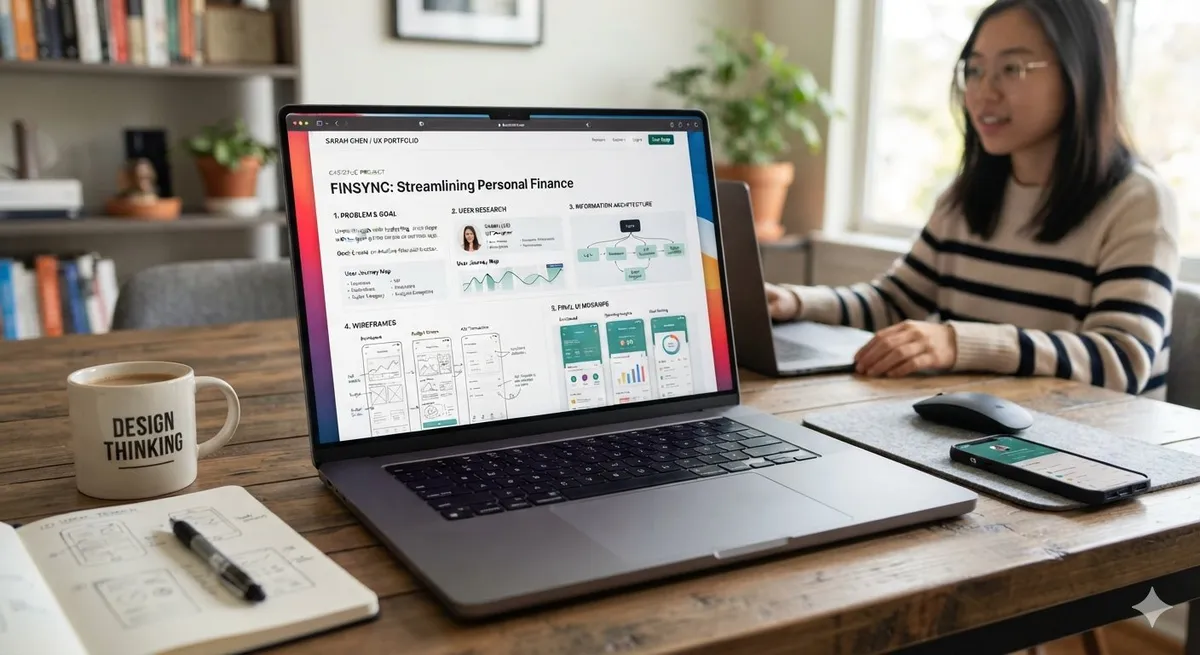
A portfolio reveals more than a resume ever could. When evaluating design portfolios, you’re assessing process, not just polish. Here’s how to conduct effective design portfolio review:
Process Over Polish
Strong portfolios show the thinking behind design decisions. Look for case studies that explain:
- The problem statement and user context
- Research conducted (user interviews, competitive analysis)
- Design iterations and rationale for changes
- Outcomes and measurable impact (increased engagement, reduced drop-off)
A designer who can explain why they chose a particular layout or color system demonstrates deeper competency than one showing only final mockups. Ask candidates to walk through their portfolio during interviews; their explanations matter as much as the work itself.
Relevant Industry Experience
While generalists have value, portfolios showing relevant experience accelerate hiring decisions. If you’re building a SaaS product, prioritize candidates with B2B software design experience. If you need mobile-first design, ensure their portfolio includes strong mobile work. Look for portfolio projects that align with your product’s complexity and user base.
Red Flags in Portfolio Review
Be cautious of portfolios that show only final visuals without process documentation, lack user research or testing evidence, or don’t clearly explain business outcomes. These gaps make it harder to understand how the designer approaches research, problem-solving, and iteration. Ask candidates to explain their process during the interview rather than judging the portfolio solely on its presentation.
Design Hiring Best Practices for 2026
Recruiting top UI/UX designers requires a thoughtful, respectful process. Modern designers have options; your hiring approach signals your company’s design maturity.
Realistic Project Assignments
Design test projects should mirror actual work without exceeding 3-5 hours. Asking candidates to redesign your entire homepage shows you don’t respect their time. Instead, provide a specific, bounded challenge: “Design a mobile checkout flow for a 5-step purchase process” or “Create a design system component for a data table.” Provide context, constraints, and clear success criteria.
Pay candidates for substantial test projects. This demonstrates respect for their time and ensures you’re evaluating genuine effort rather than quick sketches. The appropriate amount can vary depending on the scope of the assignment and the local market.
Structured Interview Process
Design interviews should assess three dimensions:
- Portfolio discussion: Deep dive into case studies and design decisions (45 minutes)
- Design exercise: Real-time whiteboard or Figma exercise to assess problem-solving (30 minutes)
- Culture fit & collaboration: Team interviews assessing communication and teamwork (30 minutes)
Structured processes reduce bias and help you compare candidates fairly. Ask the same questions across interviews and use consistent evaluation rubrics.
Competitive Compensation & Benefits
UI/UX designers are in high demand, and compensation varies significantly based on location, experience, specialization, company size, and whether the position is remote or on-site. Offer competitive compensation, benefits, and, where appropriate, equity for startups. Flexible work arrangements can also help attract qualified designers.
For larger projects or specialized needs, consider working with specialized design agencies. If you’re considering an agency instead of an in-house designer, compare the agency’s portfolio, services, communication process, and expected deliverables before making a decision.
Onboarding Your New UI/UX Designer
Strong hiring doesn’t end with an offer. Effective onboarding accelerates productivity and improves retention.
Design Onboarding Essentials
During the first week, ensure new designers understand your product vision, user base, and existing design system. Introduce them to key team members, especially product managers and lead developers. Provide access to design tools, brand guidelines, and design documentation.
Week two should involve hands-on design work alongside experienced team members. Assign small, low-stakes tasks that build context without overwhelming. Weekly 1-on-1s during the first month help identify gaps in onboarding and build relationships.
When to Hire a UI/UX Designer vs. Building Internal Design Capability
Not every organization needs a full-time designer on staff. If you’re uncertain about your design needs, consider external options first. A contract UI/UX designer or agency partnership can validate design investments before committing to a full-time hire. For guidance on choosing the right approach, explore how to hire a web design agency alongside direct hiring strategies.
As your product scales, in-house design usually becomes cost-effective and ensures design alignment across teams.

Common Mistakes When Hiring UI/UX Designers
Avoid these pitfalls that plague many design recruitment efforts:
- Undervaluing design: Low salaries attract inexperienced or burned-out designers, not top talent
- Unclear role definition: Vague job descriptions attract overqualified or underqualified candidates
- Ignoring design process: Hiring based on visual style alone, not design thinking ability
- Lengthy hiring processes: Top designers get multiple offers, and slow hiring can cause you to lose strong candidates.
- Inadequate onboarding: Throwing new hires into the deep end leads to missteps and turnover
- Lack of design strategy: Hiring designers without a clear product strategy wastes their talents
The strongest hiring processes treat design as a strategic discipline, not a cost center. This mindset change attracts better candidates and produces better outcomes.
Building Design-Driven Product Culture
Once you’ve successfully hired a UI/UX designer, the next challenge is creating an environment where design thrives. Consider partnering with experts who understand both design and development integration. You can also explore how web development and digital marketing must work together to understand the broader alignment needed for design success.
Design quality improves when designers have input on product decisions early. Involving designers in user research, strategy sessions, and technical planning ensures their recommendations are informed and respected. Regular design reviews, shared design systems, and clear feedback processes strengthen design maturity.
Conclusion: Making Your Next UI/UX Designer Hire Count
The decision to hire a UI/UX designer is an investment in your product’s future. By clearly defining roles, evaluating portfolios rigorously, using structured hiring processes, and offering competitive compensation, you attract designers who elevate your entire digital experience. In 2026, strong design can play an important role in user satisfaction, product usability, and business growth.
Whether you’re building your first design team or scaling your capabilities, the principles remain consistent: respect the discipline, invest in talent, and create space for design thinking within your organization. If you’re ready to strengthen your digital product and need guidance on the full hiring process, contact Particular Angles today. Our design recruiting and strategic consulting services help companies find and develop exceptional design talent that transforms products and drives measurable results.
This guide is based on practical hiring principles for UI/UX design roles, including job description development, portfolio evaluation, structured interviews, and onboarding. Hiring requirements can vary by company, product, industry, and level of experience, so employers should adapt these recommendations to their specific needs.