




Last updated: November 19, 2026
The Complete Guide to Web Design for E-Commerce: Conversion Optimization Checklist
Web design for ecommerce plays an important role in helping online businesses attract visitors and turn them into customers. A successful ecommerce website goes beyond attractive visuals. It combines intuitive navigation, responsive layouts, clear product information, secure payment options, and a convenient checkout experience.
Whether you’re launching a new online store or improving an existing one, the right design decisions can make shopping easier, build customer trust, and reduce unnecessary friction throughout the buying process.
This guide explores practical ecommerce website design strategies, including mobile optimization, product page improvements, checkout usability, website performance, and conversion optimization. Use the checklist to evaluate your online store and identify opportunities to improve the customer experience.
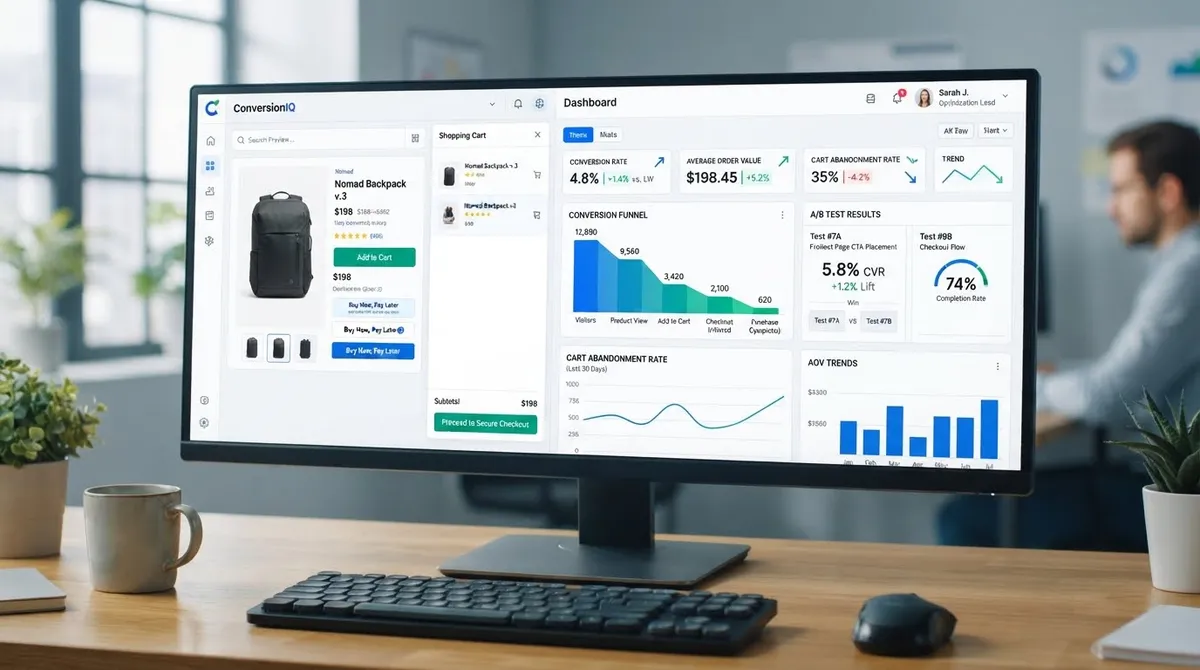
Understanding Conversion-Focused Web Design Fundamentals
Conversion-focused web design starts with understanding your customer’s journey. Every element from navigation architecture to call-to-action buttons must serve a single purpose: removing friction between browsing and buying. This isn’t guesswork; it’s rooted in behavioral psychology and data-driven optimization.
The foundation of effective ecommerce website design rests on three pillars: clarity, trust, and urgency. Visitors should instantly understand what you sell, why they should buy from you, and why they should act now. When these elements work together, they can create a smoother purchasing experience and help customers make informed buying decisions.
Improving website usability, navigation, and checkout experiences can help businesses create a smoother customer journey. Regularly reviewing website performance and customer behavior can also help identify areas where design improvements may support better conversion performance.
Improving Online Store UX Design
A well-designed online store should make it easy for customers to find products, compare options, and complete purchases. Use clear navigation, intuitive product filters, readable product descriptions, and a simple checkout process to create a smoother shopping experience.
The Psychology Behind Design Decisions
Color, whitespace, typography, and button placement can influence how visitors interact with a website. Product images showing multiple angles and useful details can also help customers understand products and make more informed purchasing decisions.
Essential Elements of High-Converting Ecommerce Website Design
Successful online store UX design incorporates specific, proven elements that work together to improve the shopping experience. Each of these elements contributes to a smoother customer journey. Missing or poorly implemented features may create friction and make it harder for customers to complete their purchases.
1. Mobile-First Responsive Design
A mobile-first approach ensures that customers can browse products and complete purchases comfortably on smartphones and tablets. Your online store should adapt to different screen sizes without sacrificing usability or important shopping features.
Consider these practical improvements:
- Use responsive layouts that adjust to different screen sizes.
- Make buttons and navigation elements easy to tap.
- Keep product images clear and properly sized.
- Make product descriptions easy to read without excessive scrolling.
- Keep Add to Cart buttons visible and accessible.
- Simplify mobile checkout forms and enable autofill.
- Test the complete shopping process on different mobile devices.
Regular mobile testing helps identify usability problems before they affect the shopping experience.
2. Fast Page Load Speed
Test your store using Google PageSpeed Insights to identify performance issues and review Core Web Vitals. Prioritize improvements that affect loading speed, responsiveness, and visual stability.
Slow page loading can frustrate visitors and make it harder for customers to browse products or complete purchases. Improve website performance through image compression, caching, lazy loading, and efficient server architecture.
3. Clear Product Information Architecture
Visitors should navigate your catalog intuitively. Implement:
- Logical category hierarchies
- Prominent search functionality with autocomplete
- Filtering options by price, size, color, and ratings
- Breadcrumb navigation for easy backtracking
When customers can find what they want quickly, product discovery becomes easier and the shopping experience improves.
4. High-Quality Product Photography
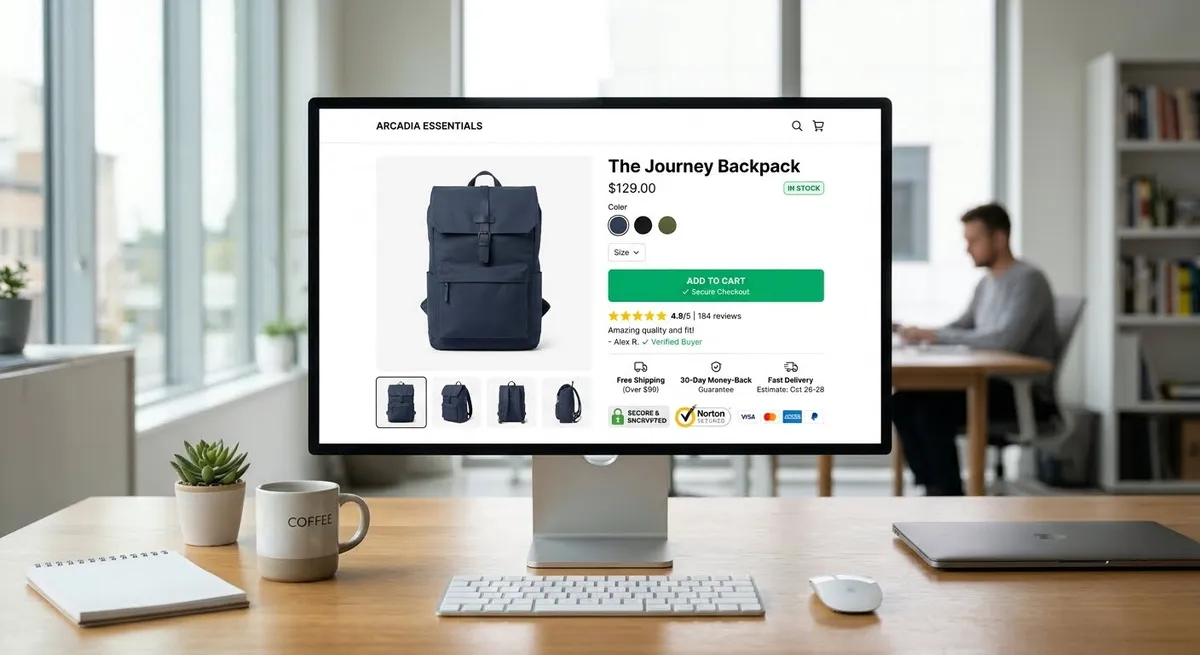
Product images are your digital salespeople. High-resolution photos with multiple angles, zoom functionality, and lifestyle context help customers evaluate products. Consider including 360-degree views and video demonstrations for complex products.
5. Trust Signals and Social Proof
Customer reviews and ratings can help shoppers evaluate products and build confidence before making a purchase. Display genuine reviews prominently on product pages, along with relevant trust badges and clear security information.
Optimizing Your Checkout Process for Maximum Conversions
The checkout experience is where conversion-focused web design becomes truly critical. Cart abandonment is a common challenge for ecommerce businesses. A clear checkout process, transparent pricing, and convenient payment options can help reduce friction and encourage customers to complete their purchases.
Streamline the Checkout Journey
Keep the checkout process as simple as possible while collecting the information needed to complete an order. Avoid unnecessary steps, repeated information, and confusing instructions. A single-page or multi-step checkout can work well depending on your products and customers, so test different layouts to identify which provides the best experience.
Key optimization strategies include:
- Offer guest checkout instead of requiring account creation.
- Display clear checkout progress indicators.
- Show shipping costs, taxes, and additional fees before payment.
- Provide convenient and secure payment options.
- Use clear error messages and real-time form validation.
- Allow customers to review their orders before completing payment.
- Make return, refund, and shipping policies accessible.
Payment Security and Convenient Payment Options
A secure and convenient payment experience is essential for building customer confidence. Clearly explain the payment methods your store accepts and use a reputable payment processor to handle transactions securely.
Consider these best practices:
- Offer familiar payment methods that suit your target customers.
- Use HTTPS across your website to protect information transmitted between visitors and your store.
- Display accurate payment and security information without making unsupported security claims.
- Explain how customer payment information is handled.
- Keep payment forms clear, simple, and easy to use on mobile devices.
Review your payment provider’s security requirements and applicable compliance obligations to help protect customer information throughout the checkout process.
Reduce Form Friction
Use autofill capabilities wherever possible. For international sites, implement address autocomplete. Break longer forms into logical sections with clear section headings. Real-time validation helps customers correct errors immediately rather than discovering problems on submission.
Implement Exit-Intent Technology
Well-designed exit-intent popups may encourage some visitors to reconsider leaving without completing their purchase. Offer genuine value, such as free shipping or helpful information, rather than aggressive interruptions.
Abandoned Cart Recovery Strategies
Not every customer who adds a product to their cart completes the purchase. A helpful recovery strategy can remind shoppers about items they left behind and make it easier for them to return.
Consider these approaches:
- Send a reminder email to customers who have agreed to receive marketing communications.
- Include product images and clear links back to the shopping cart.
- Make shipping costs, return policies, and payment options easy to review.
- Keep reminder messages helpful and avoid sending excessive follow-ups.
- Review cart abandonment data to identify recurring checkout problems.
A well-planned recovery process can help businesses reconnect with interested shoppers while improving the overall shopping experience.
Building Trust Through Strategic Design and Transparency
Conversion optimization extends beyond buttons and forms. Building customer trust requires transparent, honest design practices that reinforce your brand’s credibility and reliability.
Display your company information prominently, including your business address, customer service phone number, email support, and genuine customer testimonials. Include a detailed FAQ section addressing common purchasing concerns. Make your return and refund policies easily accessible because customers want to know they’re protected.
Implement live chat support during peak shopping hours. Real-time customer assistance converts hesitant browsers into buyers by addressing objections instantly. When customers know they can reach a real person for assistance, they may feel more comfortable making purchasing decisions.
Making Your Ecommerce Website Accessible
Accessibility helps ensure that more customers can browse and use your online store. An accessible ecommerce website should provide clear navigation, readable text, and usable interactive elements.
Consider these improvements:
- Add descriptive alternative text to product images.
- Maintain sufficient color contrast between text and backgrounds.
- Make navigation and checkout usable with a keyboard.
- Use descriptive labels for forms and buttons.
- Provide clear instructions and error messages.
- Avoid relying on color alone to communicate important information.
Following Web Content Accessibility Guidelines (WCAG) can help improve usability and make your online store more inclusive.
Leveraging Data Analytics to Continuously Optimize
Web design for ecommerce is never “finished.” Continuous optimization based on real user data separates high-performing stores from mediocre ones. Implement analytics tracking across your entire site to identify where visitors drop off, which products generate interest, and where friction points exist.
Key Metrics to Monitor
- Conversion Rate: Percentage of visitors who complete purchases
- Cart Abandonment Rate: Percentage of carts left without completing checkout
- Average Order Value: Total revenue divided by transaction count
- Customer Acquisition Cost: Marketing spend divided by new customers
- Return Rate: Percentage of customers who return products
Use heat mapping tools to visualize where users click, scroll, and spend time. A/B test critical elements: button colors, form field ordering, product page layouts, and copy variations. Use actual test results to determine which changes improve user experience and conversion performance.
Common E-Commerce Design Mistakes That Kill Conversions
Understanding what not to do is equally important as knowing what to do. Many ecommerce sites sabotage their own conversion rates through avoidable design mistakes.
Avoid intrusive pop-ups that appear immediately on page load. Auto-playing videos with sound annoy visitors and damage user experience. Unclear pricing hiding shipping costs or taxes until checkout betrays customer trust and increases abandonment. Complex navigation that requires visitors to hunt for products wastes their time and patience.
Outdated design signals lack of professionalism. If your site looks like it was built in 2010, visitors question your legitimacy and product quality. Regular design refreshes signal an active, well-maintained business. For deeper insight into web design mistakes that kill conversions, review our detailed conversion optimization analysis.

Choosing the Right Design Partner for Your Ecommerce Store
Building high-converting ecommerce websites requires expertise across UX/UI, psychology, analytics, and technical development. Many business owners struggle to implement these elements alone, which is where specialized design agencies become invaluable.
When selecting a partner, look for proven ecommerce expertise, case studies demonstrating conversion improvements, and a data-driven approach to optimization. A quality design agency does more than create beautiful websites. It builds websites that support business goals and help generate revenue.
Need guidance on how to hire a web design agency? Our comprehensive selection guide walks you through evaluating potential partners and avoiding costly mistakes in the hiring process.
Implementing Your Ecommerce Design Checklist
Putting everything together, here’s your actionable checklist for conversion-focused ecommerce website design:
✓ Optimize for mobile-first responsive experiences
✓ Optimize page loading speed for a smooth browsing experience
✓ Implement intuitive product navigation and search
✓ Display high-quality, multi-angle product photography
✓ Prominently feature customer reviews and ratings
✓ Display accurate security information and clearly explain payment protection
✓ Provide a simple and easy-to-follow checkout process
✓ Minimize required form fields
✓ Offer multiple payment options
✓ Use helpful exit-intent messages and abandoned-cart recovery strategies
✓ Make company and customer service information accessible
✓ Install live chat support
✓ Set up analytics tracking for continuous optimization
✓ A/B test critical conversion elements
✓ Maintain regular design refreshes and updates
How to Use This Ecommerce Design Checklist
Review each item and compare it with your current online store. Mark the tasks that are already implemented, identify areas that need improvement, and prioritize changes based on customer needs and business goals.
For each improvement:
- Identify the page or shopping process that needs attention.
- Review the experience on desktop and mobile devices.
- Make one focused improvement at a time.
- Test the updated design and check for usability issues.
- Monitor relevant analytics to evaluate performance.
- Continue refining the experience based on actual customer behavior.
Use this checklist regularly as your online store, products, and customer expectations evolve.
Tackling this list comprehensively requires expertise, time, and technical knowledge. Many ecommerce entrepreneurs find that partnering with experienced designers and developers accelerates their path to conversion success. If you’re ready to transform your online store’s design and revenue, explore current web design trends that actually convert or learn about common website design red flags that damage conversions.
Conclusion: Convert Visitors Into Customers Through Strategic Design
Web design for ecommerce isn’t a one-time project. It’s an ongoing optimization discipline. By implementing the conversion-focused strategies outlined in this guide, you’ll systematically improve your store’s ability to turn browsers into buyers. The difference between average ecommerce sites and high-performing online stores comes down to intentional design decisions rooted in user psychology, data analysis, and continuous improvement.
Your ecommerce website should work like a high-performing salesperson: guiding customers smoothly through their journey, addressing concerns before they arise, building trust at every touchpoint, and making the purchase decision clear and convenient. When these improvements are implemented effectively, they can support better conversion performance, encourage repeat purchases, and strengthen customer relationships over time.
Ready to audit your ecommerce store or build a new conversion-optimized platform from scratch? Contact Particular Angles today. Our team specializes in designing and developing ecommerce websites that don’t just look beautiful but also support business goals and improve the customer experience. Let’s transform your online store into a conversion machine.
This guide was prepared by Particular Angles to help businesses understand the essential principles of effective ecommerce web design. It covers practical considerations such as user experience, website navigation, mobile responsiveness, product presentation, website performance, and checkout optimization. By applying these principles, businesses can create a more user-friendly online shopping experience and make it easier for customers to explore products and complete purchases.
Particular Angles provides web design and digital marketing services to help businesses strengthen their online presence and improve their website experience. Contact our team to discuss your website goals and explore potential solutions for your ecommerce business.